KOBORO STATION is an animation Project made by me together with a fellow student.
To make the animation not just good, but great we split up the work during the process of creating this short story. I handled 3D Environments and animations, Compositing and Sound Design while my project partner handled the 2D character animations throughout the entire project.
With the help of the talented musical artist ARPHELIS we even got a Soundtrack for our animated short film.
With the help of the talented musical artist ARPHELIS we even got a Soundtrack for our animated short film.
Koboro Station is a real place in Toyoura Hokkaido, northern Japan. It is the most secluded train station in entire in the country and after interviewing a japanese woman, she told us there are a lot of scary stories tied to that station. After finding out about this, we had found our reference place to create a horror story.
All Environments, Assets and Textures were made in Blender 5.1 using CEL Shading in EEVEE achieving a painterly look to match the 2D character. The editing and compositing happened in DaVinci Resolve 20. 2D Character animation made in Procreate by rotoscoping and overpainting.
Concept Arts, Storyboards and other Details.

Character Sheet

Storyboard

Styleframes

3D Anime Tree 1
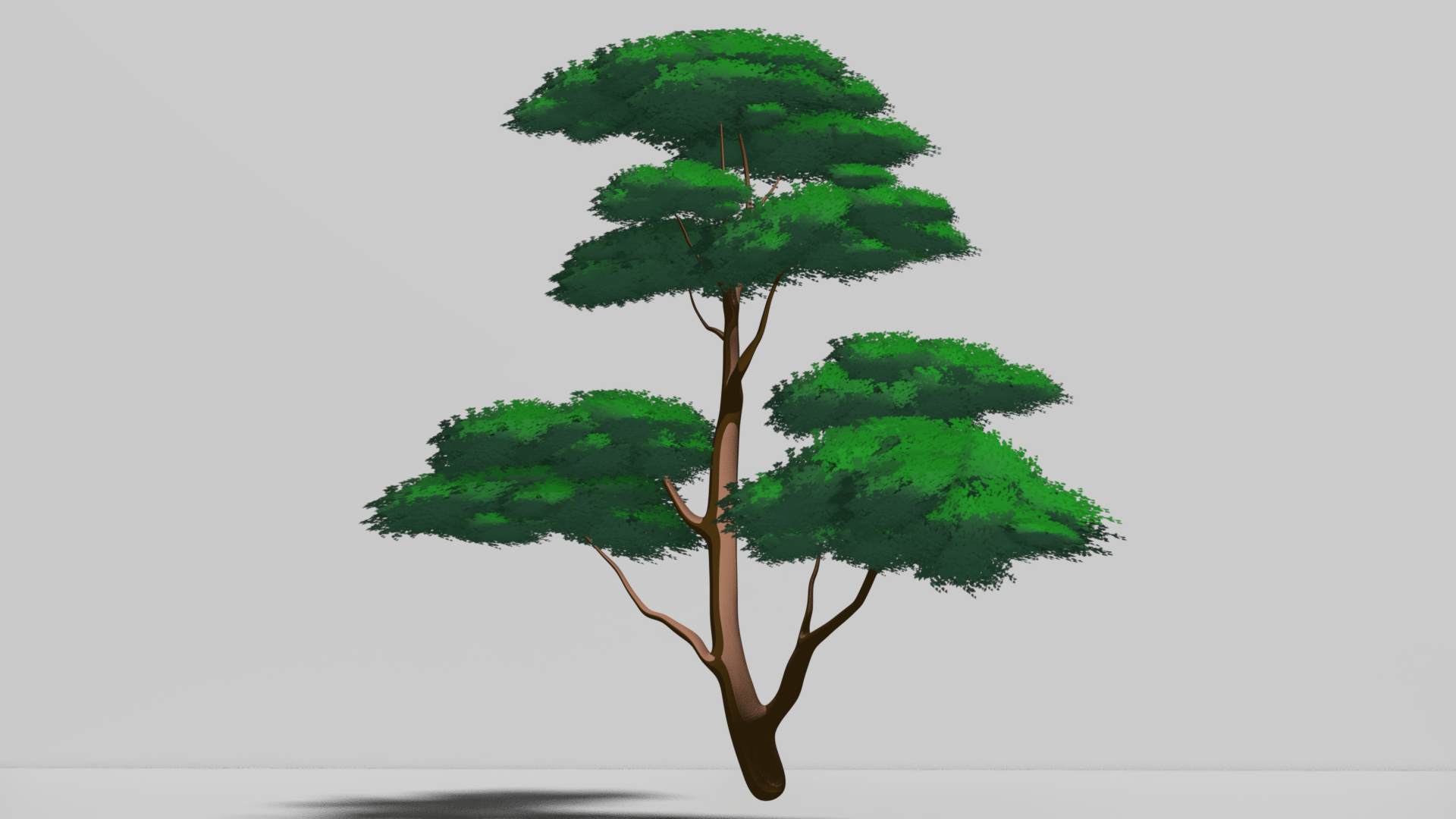
3D Anime Tree 2
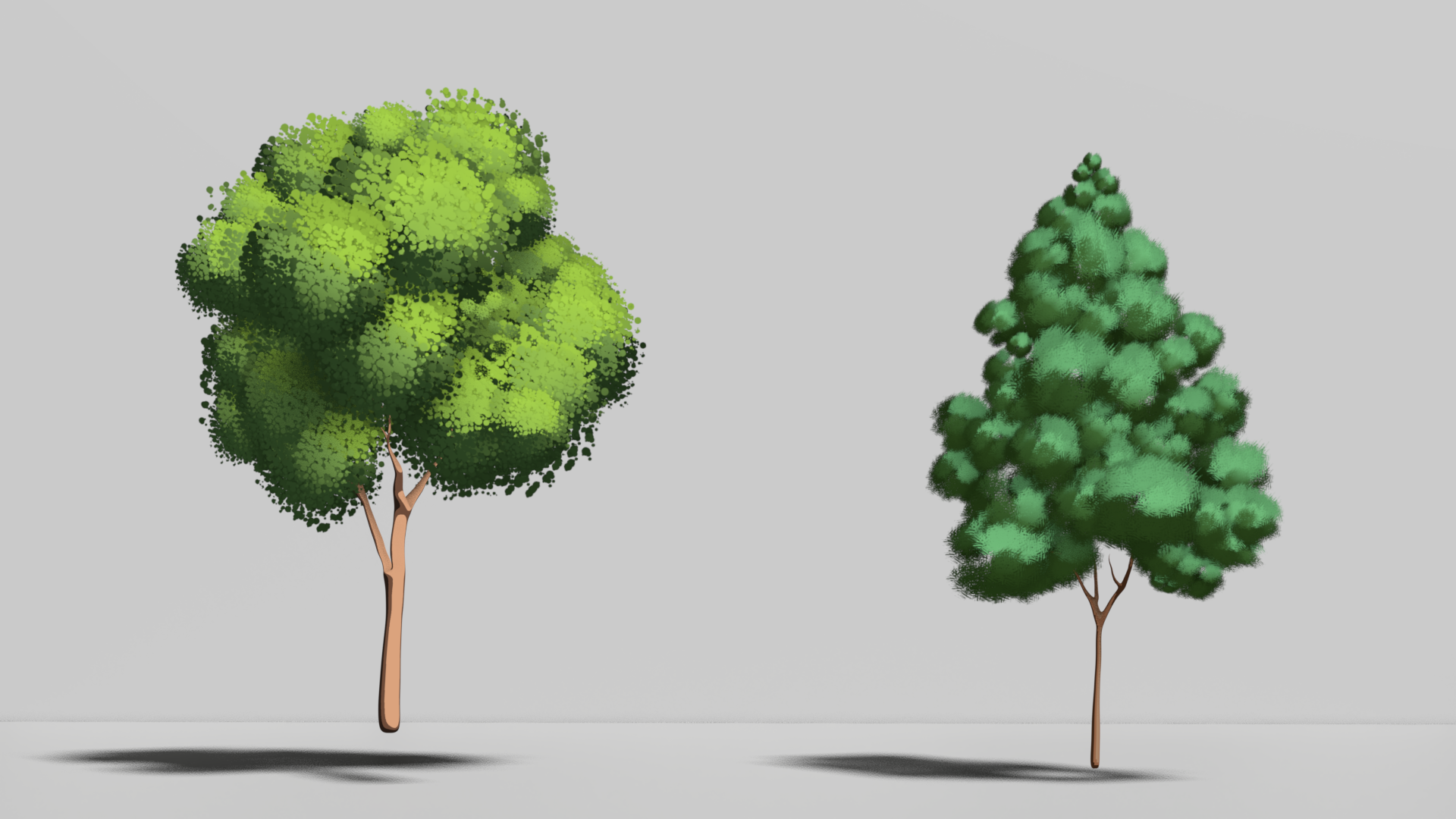
3D Anime Tree 3 & 4

Main Scenery Render
My Production Process
3D Anime Trees
To get a 3D Tree to look like its hand painted from every Angle, you have to first of all hand paint your assets. I created alpha mask textures for the different leave types in Adobe Fresco. After that, I exported the leave textures and imported them to Blender.
With that done, I made a particle emitter which spreads leaves around a sphere to create a bush-like appearance.
To fix the Problem of the 2D planes distorting based on camera angle, I oriented all leaves facing the camera at all times with Geometry Nodes.
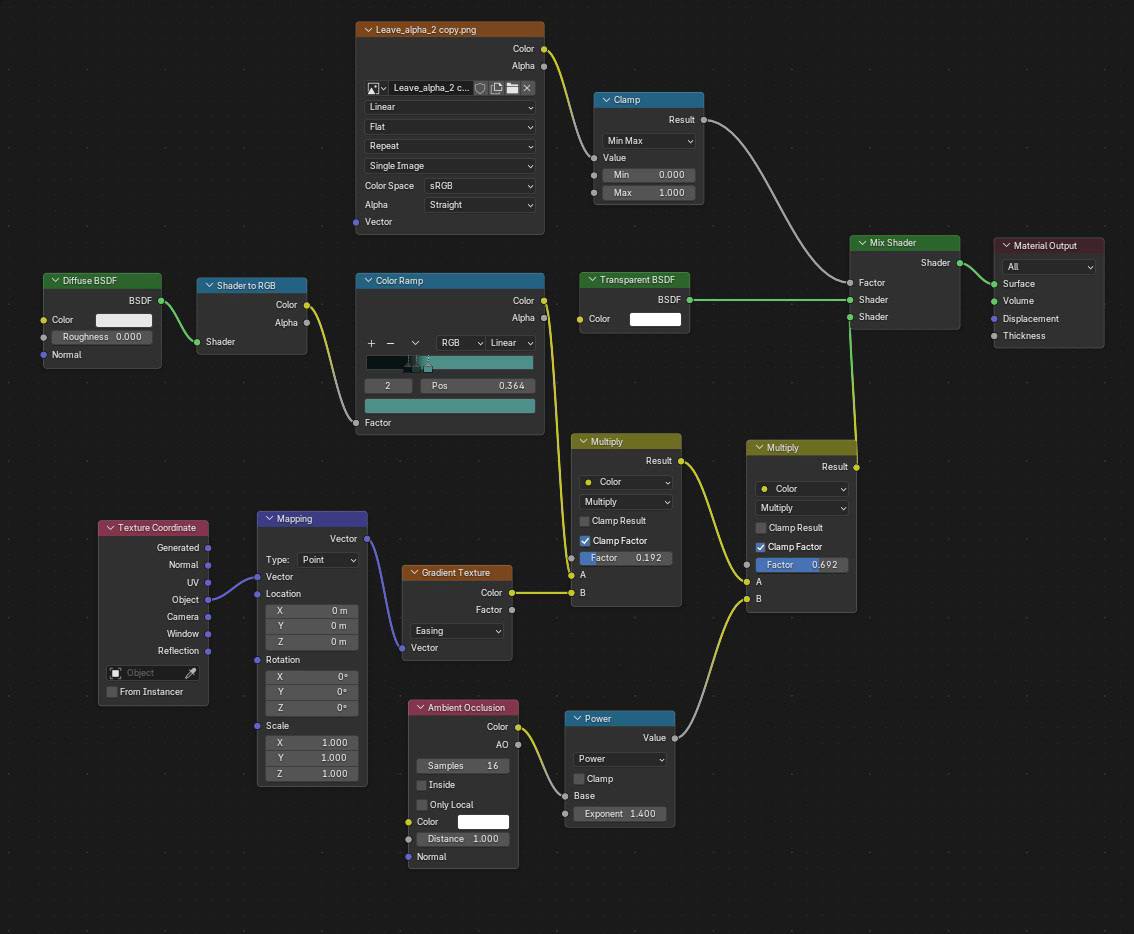
To further establish a painterly look, I shaded all leaves in EEVEE to CEL-Shading. Setting up colors like highlights, Midtones and Shadows. This way we get a constan thard lighting similar to the Anime Artstyle.


Scene Building
After creating all Assets for the scene, I started putting everything together and prepare it for the final shot with our 2D character.
Since the shot had no camera movement, I viewed the scene only through the cameras perspective to save both time and GPU performance.
This way I don't place anything that will not be visible through the camera and shorten render times.
This way I don't place anything that will not be visible through the camera and shorten render times.
Grass Scattering
To get a more vivid feel of the environment, we need more vegetation. To tackle this, I painted a Grass Texture in Adobe Fresco and imported it as an Alpha mask to Blender.
I then Weight Painted the environment to define where the grass
should be. Using the Scatter on Surface Modifier, I scattered the grass planes across the Weight Paint Vertex Group and adjusted the properties of the scattering until I was happy with it.
I then Weight Painted the environment to define where the grass
should be. Using the Scatter on Surface Modifier, I scattered the grass planes across the Weight Paint Vertex Group and adjusted the properties of the scattering until I was happy with it.
Geometry Nodes Animation
To prevent the scene from feeling static, I made a wind animation creating constant movement on each of the polygons, while the intensity, speed and scale is controlled by a noise texture.
Those values can be changed to make the wind faster, slower, more frantic and more calm. It's split up into small and large "wind" which controls fine flattering and large and wavy movements of the leaf planes.
This way i could adjust the animation to match the wind strength I wanted to achieve.
This way i could adjust the animation to match the wind strength I wanted to achieve.